Securing MyHost accounts with compulsory 2FA
Every MyHost account will be protected by two-factor authentication.


We're making 2FA compulsory from 22 June. You’ll now be required to set up 2FA when you’re first setting up a MyHost account, or if you haven’t signed in to MyHost since we made 2FA compulsory.
Phishing attacks have targeted MyHost users more in 2026 than ever before. We’ve seen five widespread attempts to steal passwords from MyHost customers since January, as well as an industry-wide warning from the Domain Name Commission about scam emails. In fact, we reported a new scam email on our Phishing Alerts page the same day we're publishing this article.
To fight back against this, we’re adding an extra layer of account security by making two-factor authentication (2FA) compulsory for all MyHost accounts. With 2FA, stolen passwords aren’t enough to break in and change your details.
MyHost accounts without 2FA already enabled will be required to set up 2FA. The first time you login after this change, you’ll be prompted to enable 2FA through one of two methods:
- App-based: Get codes through an authenticator app like Google Authenticator.
- Email verification: Get one time passwords sent to the email you use to log in to MyHost.
It’s worth making sure you have access to the email address stored in your MyHost account details before we enforce 2FA. If you can’t access that email address when 2FA is made compulsory, you won't be able to use the email verification option (you’ll still be able to use the app-based option).
- To update your login email address, go to Your Profile in the MyHost Client Area.
- Change Email Address to the email you wish to receive verification codes.
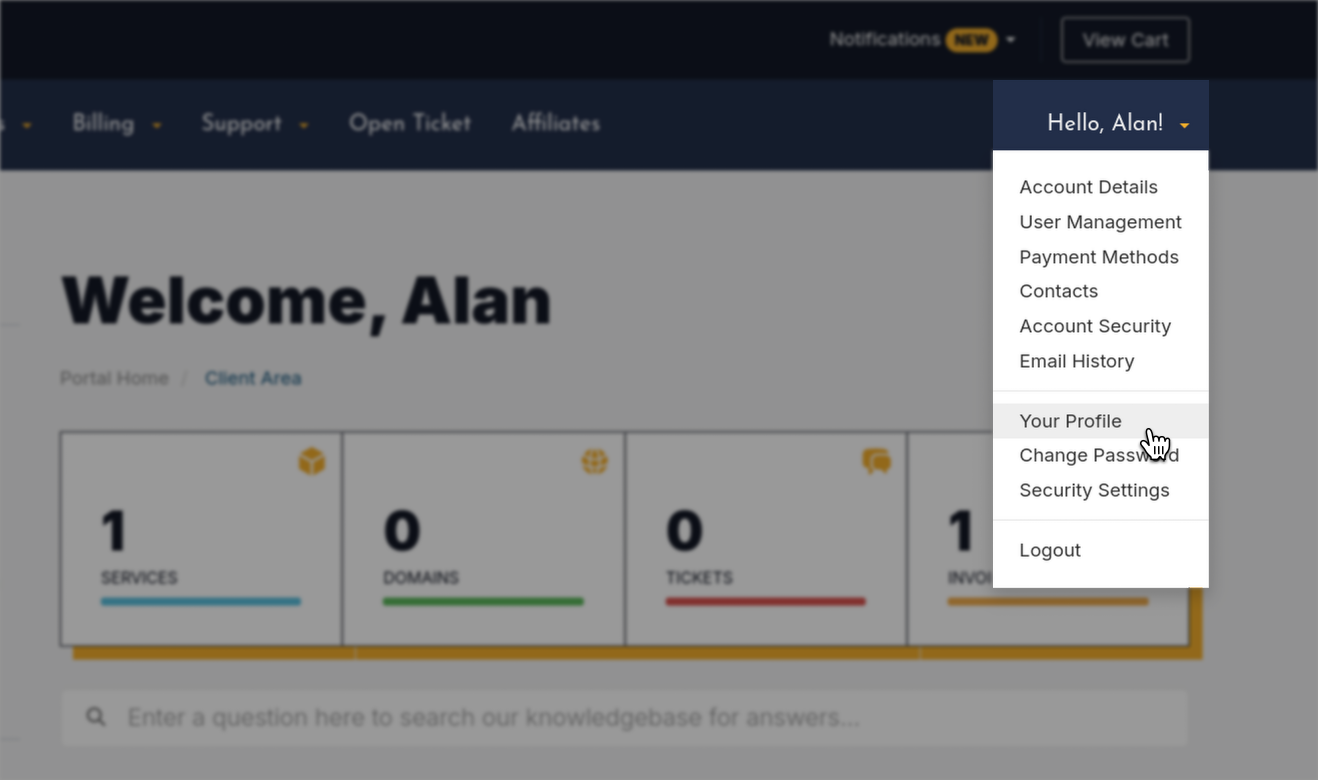
To get ahead of the coming change, you can enable 2FA right now within the Security Settings in the MyHost Client Area.
Email or app?
If you’re setting up 2FA before we make the change compulsory, you’ll have the choice between receiving codes via email verification or through an app like Google Authenticator.
We recommend the more secure, app-based option. Email 2FA is less secure because a compromised email inbox is enough to reset passwords and receive 2FA codes.
It’s worth noting that with app-based 2FA you’ll be entering your authentication code each time you login. With email verification, you’ll only have to enter your code once per day.
You’ll have the choice to change between methods at any point.
Once you’ve got 2FA set up on MyHost, we still encourage you to use a strong password for your email inbox and to protect it with 2FA as well.
Security questions
As part of this change, we've removed security questions from MyHost. Previously, this optional security feature required you to answer a security question whenever you made changes to your account. For example: "What was your childhood nickname?"
This only affects customers who'd already set up a security question. Any security questions previously set on your account will now be superseded by 2FA, as it's a stronger security measure.
What do I need to do?
If your account isn’t already protected by 2FA, you have the option to take control and switch it on for yourself now. Otherwise, you’ll be prompted to set it up when you log in later this month.
If you have any questions about how the 2FA changes will work or affect you, please get in touch.
People Sharing The Love
Fantastic support. Good pricing ...and a control panel that just works without trying to up-sell and randomly include extra things I didn't ask for.
So impressed, I'm migrating domains from a number of other providers who struggle with one or more of the above.

Great customer support at MyHost. We moved from Crazy Domains to MyHost after multiple server overload issues at Crazy Domains that dropped our websites. Service has been way better at MyHost where real people give you real answers real quick. Super impressed. Package and performance seems fine but definitely a game changer to have good support. ★★★★★

Great service culture. The responsiveness and professionalism of the support team are impressive. Very happy to recommend MyHost to anyone looking for a company that appears to have a differentiating service culture. ★★★★★

More from MyHost
Hosting & More
Web Hosting
From $7.95/mo
NZ Domains
Only $24.80/yr
AU Domains
Only $12.00/yr
Virtual Servers (VPS)
From $16.95/mo
Here to help
If there's anything you want to know about web hosting, domains or servers, our experts are here to help.
Contact us