It just got a lot easier to migrate your email accounts to MyHost
Introducing our new Imapsync Migration Tool, which makes it easier to get your old email accounts across to MyHost.


Hosting email accounts with MyHost? Whether you’re running email through one of our Web Hosting plans or as part of our Email Hosting service, hosting email accounts here is a popular choice.
We’re aware, however, that migrating email accounts over from other providers can be a hassle.
With that in mind, we’ve built and launched a new Imapsync Migration Tool. It’s a purpose-built service that makes moving your emails across from an old provider to a new MyHost mailbox much simpler.
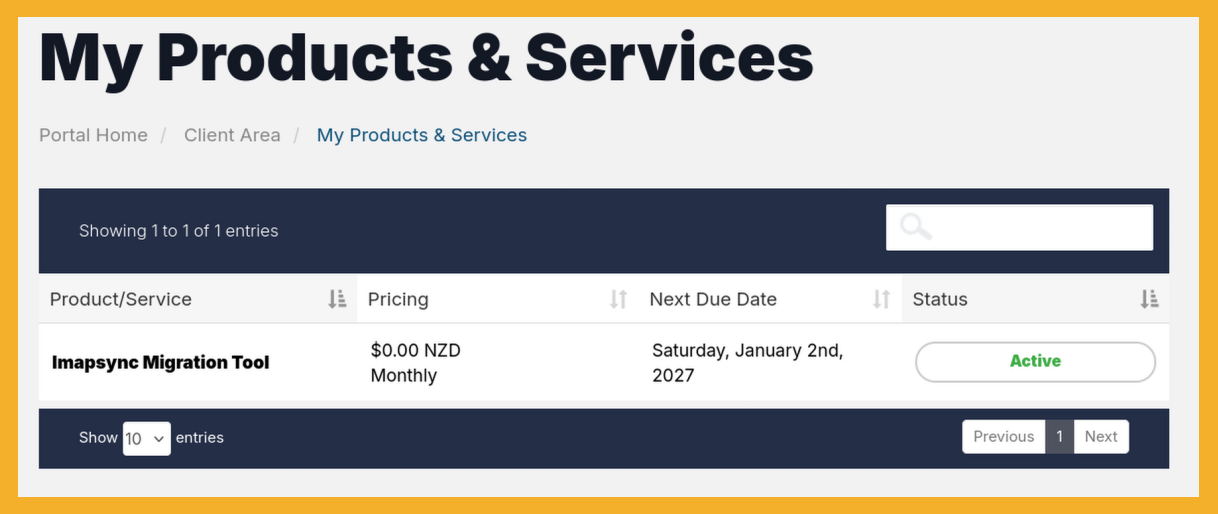
If you’ve been wanting to migrate email accounts over but weren’t confident you could do it manually yourself, then we recommend giving the tool a go. Until early 2027, we’re making the tool completely free to use for all MyHost customers in the MyHost Client Area. There’s no better time to move your emails across to MyHost.
Email migrations don't need to be difficult
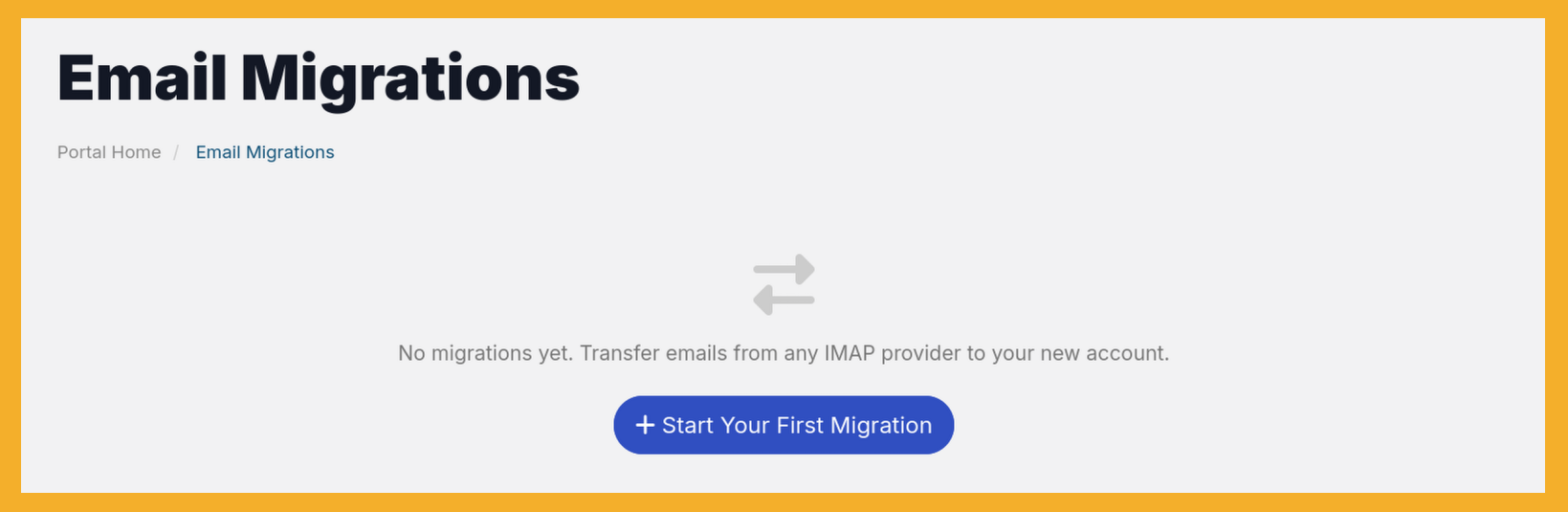
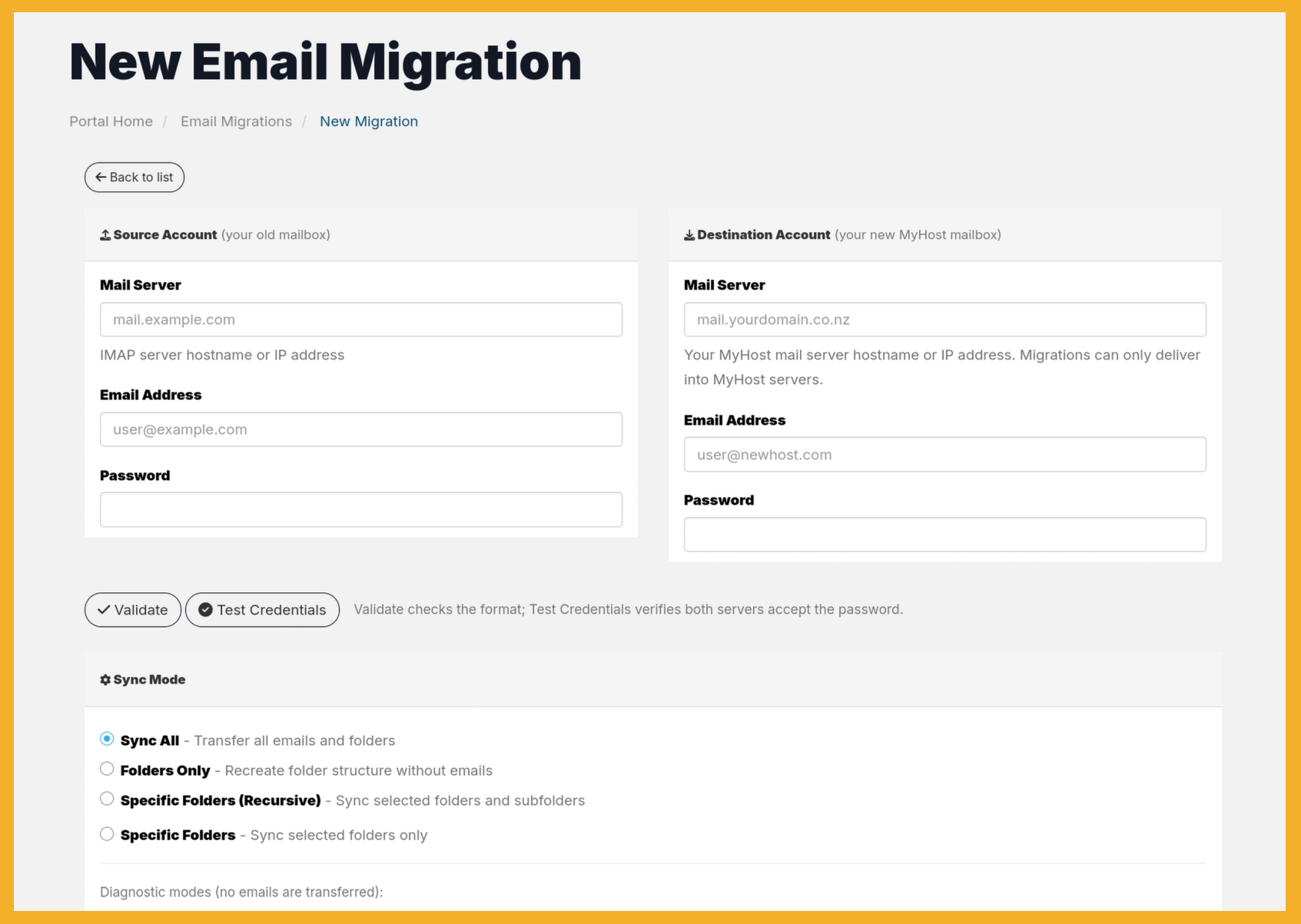
The Imapsync Migration Tool works by accessing both your old mail server and your new MyHost mail server at the same time. It takes count of all your old emails and copies them all across to the MyHost side.
Your email messages and your existing folders will be copied across, so your existing folder structure will be preserved alongside your emails.
Can I use the Imapsync tool?
The Imapsync Migration Tool is designed to work with most email clients and email apps. Email accounts on clients like Yahoo, Apple Mail, Thunderbird, or Roundcube (cPanel's default email client) should be easy to transfer over with the tool.
Using a Gmail account at the moment? The tool’s got that covered too, but it takes a handful of extra steps to get it up and running.
Got multiple mailboxes to migrate? The tool has a bulk migration setting that makes short work of multiple mailboxes, but there are a few extra steps to follow in our Migrating multiple mailboxes at once with a .CSV file Knowledgebase article.
Some popular email clients that the tool supports migrations from include:
- Gmail
- Thunderbird
- Apple Mail
Unfortunately, Microsoft mail clients like Outlook and Hotmail aren’t compatible with the tool. To copy emails across from Microsoft email products, you’ll either have to migrate the email accounts manually or get our Support Team to do it as part of our Migration Service.
The “IMAP” in Imapsync
It’s in the tool’s name, however, it’s still worth knowing that the Imapsync Migration Tool only works on mailboxes that support IMAP.
If terms like “IMAP” and “POP3” aren’t familiar, that’s more than understandable. Imagine you use your laptop email client (like Gmail, Apple Mail, or Thunderbird) to check for new messages. They're the two standard ways email apps connect to a mail server, and most email providers support both. So even if your own email app is set up to use POP3, you can still use the tool, as long as your provider also offers IMAP.
How to migrate a mailbox to MyHost
Our Imapsync Migration Tool makes migrating mailboxes over to MyHost much easier than doing it manually. There are still some steps involved though, which we’ve detailed in our Knowledgebase. If those steps still sound like a hassle, our Support Team has a paid Migration Service that can help.
Firstly, you’ll need to be using one of our Web Hosting or Email Hosting plans to create a mailbox/email account in cPanel. Our most popular Medium Web Hosting plan lets you create mailboxes for up to four different domains, with an unlimited amount of email accounts for each domain.
Still sound too techy?
If using a tool like this still sounds like more work than you have time for, or if you have a Microsoft email account that needs to be migrated by hand, there are other options. If you'd like our Support Team to do it for you, our Migration Service can help. Get in touch with us for more information and a quote.
Testing period
Because the feature is new, we’re first rolling it out as a public beta. Until early 2027 we’re making the tool free to use for all MyHost customers. Once the beta period is over, the Imapsync Migration Tool will become a paid feature.
A beta release means that it’s the first time that this tool will be used by regular MyHost customers, rather than internal testers. We’d love to hear feedback from anyone who uses it. If things work well, or if there’s something we need to improve, your thoughts are welcome at [email protected].
Get your emails across to MyHost
Migrating email accounts manually can be tricky. Our new Imapsync Migration Tool aims to make the migration process much simpler.
Make use of the tool while it’s free for a limited time, and get your email accounts over to MyHost in no time. Check out our Migrating your email account to MyHost Knowledgebase guide for step-by-step instructions.
If you have any questions, don’t hesitate to contact us to talk through your options.
More from MyHost
Hosting, Domains & More
Web Hosting
From $7.95/mo
Domains
From $12.00/yr
WordPress Hosting
From $7.95/mo
Email Hosting
From $3.95/mo
Any questions?
If you want to know anything about web hosting, domains, or building your own site, we're here to help.
Any questions?Join these happy MyHost customers
Transferred from another hosting company. The Team at MyHost were excellent setting everything up when requested, any questions (I asked a few) were answered professionally and quickly. More than happy with the service. Will be highly recommending their services. A follow up question I asked for another person again was answered quick. One thing I did notice, everything appears to run quicker (email and website). ★★★★★

Best Hosting Service I have had after 25 Years in IT. Your after sales service and the technical ability of your support staff is great and always very helpful. I am not sure if you have 24/7 support, but it seems no matter when I contact the support email address, I get a reply. I always appreciate good after sales service, thank you so much. ★★★★★
We had a problem with email and I called the help desk - dreading the usual long wait and not getting to talk to a real person. I was very pleasantly surprised by how promptly the lady on the phone resolved my issue. I think this is what real customer service should be - you have a problem and you go to the solution provider, and they fix it for you without any hassle! ★★★★★
